Your weekly dose of Apple news, iOS guides & more → Subscribe FREE

My 5 Best Apple Home Products for a Smart and Reliable Home
Looking to build an Apple Home setup? These are the my five best Apple Home products I use daily, with real-life pros, cons, and use cases.
APPLE HOME
2/26/202610 min read
Apple Home has quietly become one of my favorite parts of the Apple ecosystem. For me I started to use Apple Home since the massive redesign that came with iOS 16 in 2022.
I’ve been using Philips Hue lights for years, but my first real step into Apple Home came with a product from Eve: Eve Energy smart plug. When I bought it, I honestly didn’t know what to expect. I mainly wanted insight into how much power my individual devices were using, and the ability to control non-smart devices remotely. What surprised me was how effortless everything felt. Adding the Eve Energy to Apple Home was as simple as scanning the QR code, and within minutes it was up and running.
After using it for a while, I started to see how powerful, and addictive, Apple Home can be. From there, I slowly expanded my setup with more Apple Home products, each one making daily life just a bit easier. Let me first give you some information about Apple Home and what is exatly does.
What is Apple Home?
Apple Home is Apple’s smart home platform that lets you control all your smart devices from one place. You can control your devices this with the Home app on your iPhone, iPad, Apple Watch, or Mac. You can think of control lights, plugs, thermostats, cameras, garage door openers etc. Its all in a simple and familiar Apple-style interface.
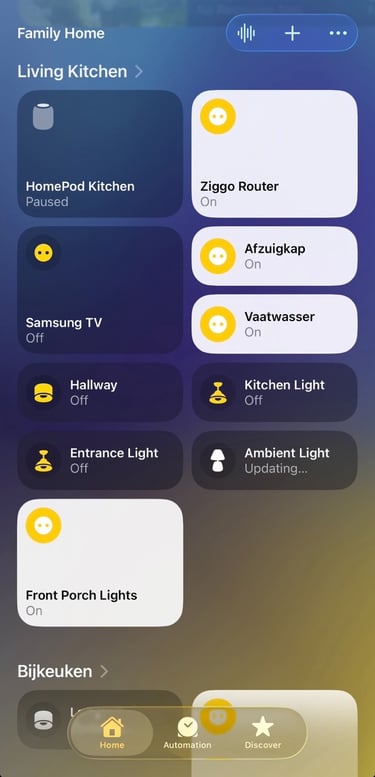
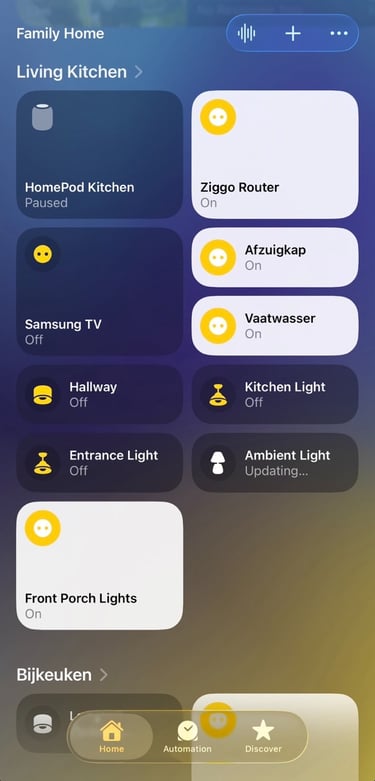
With Apple Home you can turn devices on or off, automate routines, control them with voice commands in Siri, or set things up so they work automatically in the background.
To make Apple Home work reliably, Apple uses two important technologies: Matter and Thread.
Matter is a shared, open standard that makes smart home devices easier to use together. You can think of it as a universal language that allows smart home products from different brands, like Apple, Google, and Amazon, to communicate with each other in a simple and secure way.
Because of Matter, devices that you add from different manufacturers can work smoothly inside the Apple Home app without complicated setups. This is the result of major tech companies working together to make smart homes more reliable, easier to use, and more consumer-friendly.
Thread is the wireless technology that helps smart home devices communicate quickly and reliably with each other. Instead of relying on Wi-Fi, Thread creates a low-power network where devices talk directly to one another. This makes your smart home faster and more stable. The more Thread devices you add, the stronger the network becomes, which means fewer disconnects and smoother automations in Apple Home. To use Thread you need an Apple device that has a built-in Thread boarder router like the Apple TV 4K 3rd gen , HomePod 2nd gen or HomePod Mini.
Think of Matter as the shared language devices use to understand each other, and Thread as the fast, stable network that carries those messages. Together, they make smart home products easier to set up, more responsive, and more reliable inside Apple Home.
So this was the theory behind Apple Home, Matter, and Thread. Now let’s move to the practical side. In this article, I’m sharing my top five Apple Home products I use every day and the ones I genuinely think are worth adding to your own setup.
Let's dive into it.
5
Eve Weather
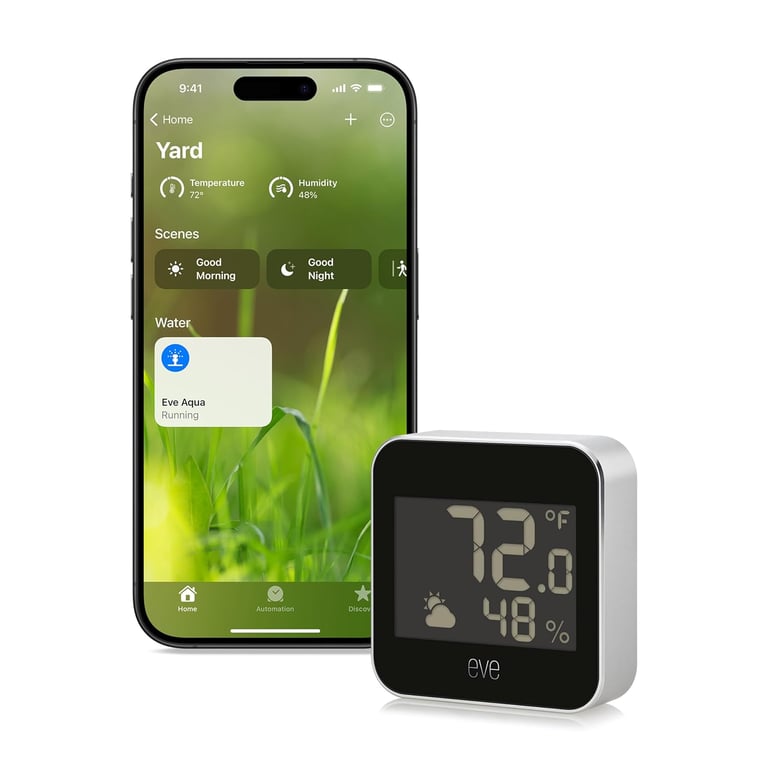
Eve Weather wasn’t the first Apple Home product I bought, but it was one of the first sensors I added to my Apple Home. For me it quickly became more useful than I expected. I mainly use it to keep an eye on temperature outside, humidity, and air pressure in my back yard and front porch (Yes I use 2). The Eve Weather is very precise and shows highly detailed measurements, down to tenths of a degree. Instead of just showing “25°C,” you’ll see exact readings like 25.1°C or 25.2°C. It also tracks the coldest and warmest points throughout the day, giving you a clear picture of how the temperature changes over time.
You add this device very easily to Apple Home but what I love about this is that it has its own Eve app. In the Eve app, you can see this detailed weather information for areas like your front porch or backyard, and you can also set up automations. For example, if the temperature drops below 5°C, you can automatically turn on the heating inside your home. Very helpful in the winter.
Pros
Accurate, detailed readings Shows temperature, humidity, and air pressure with precision (even to decimal points).
Tracks daily highs and lows Lets you see the warmest and coldest points of the day.
Easy Apple Home integration Adds quickly via QR code and works reliably with the Home app.
Works with Thread & Matter Fast, stable connection that improves over time as you add more Thread devices.
Standalone Eve app
Gives deeper insights and weather graphs beyond what Apple Home shows.
Useful for automations
You can trigger actions (like turning on heat or fans) based on real-time weather conditions.
Cons
Requires a Thread network Works best with a Thread border router (HomePod/Apple TV) for full performance.
Limited smart features on its own
It’s a sensor, so you’ll need other devices if you want more automationWeather sensors are sensative and can be affected by placement Direct sun, wind, or shelter can impact readings if placed poorly.
Higher price than basic sensors
More expensive than some generic weather sensors, but the accuracy and Apple integration justify it for many.
4
Eve Energy Smart Plug
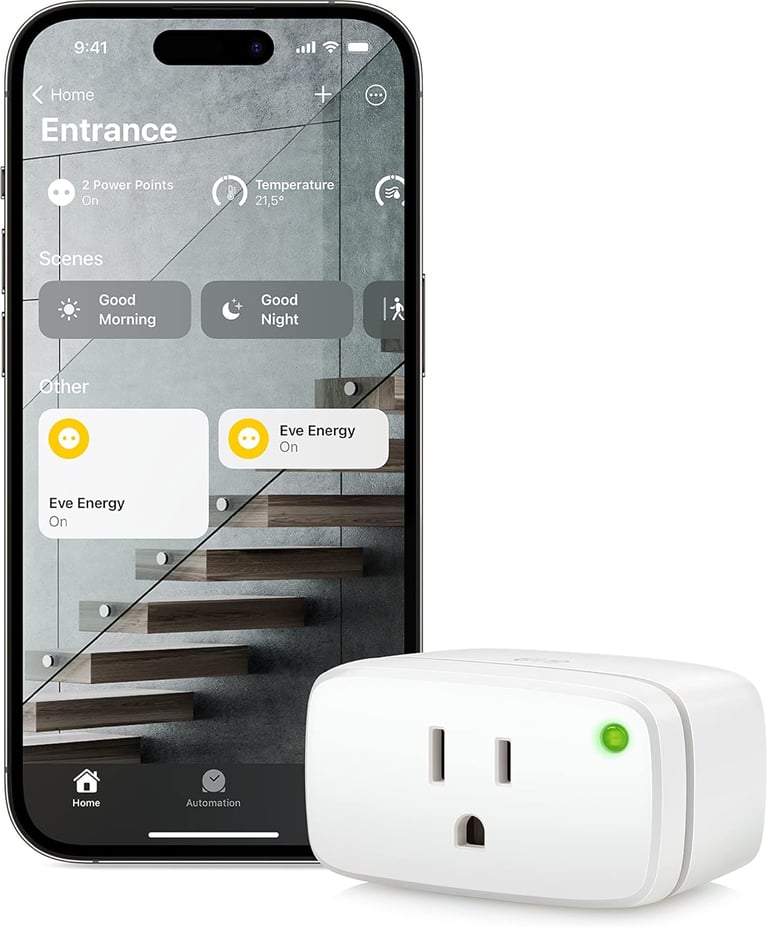
The Eve Energy was actually my first real Apple Home product, and the one that pulled me deeper into the Apple Home ecosystem. At the time, I was mainly looking for a way to control non-smart devices remotely and get better insight into how much power certain devices were using. And I really got this information and again very very detailed. With the Eve App you can see the power history of your device. For example, if you use a gaming PC, you can easily see its peak power usage with this plug. The Eve app shows this data in detail, giving you clear insights into how much energy the device actually consumes. And with this Eve Energy plug you can setup a lot of automations like turning off devices when its below a certain wattage. You can completely setup your own automations. You can do this in the Apple Home app or in the Eve app where you also see suggested automations you can use. The fun part is that the more smart home devices you connected the more automations you can set.
Pros
Easy setup
Adds to Apple Home quickly by scanning the QR codePower monitoring
Shows real-time and peak power usage, so you know exactly how much energy a device uses.Remote control
Turn devices on or off from anywhere using the Home app or Siri.Automation support
Works with Home automations, so you can make routines (like turning on a lamp at sunset).Thread & Matter compatible
Reliable, low-latency connection that gets stronger as you add more Thread devices.Works with existing devices
Makes dumb devices smart without needing a whole new product.
Cons
Requires a Thread border router
To get the best performance and responsiveness, you need a Thread-enabled hub (like HomePod or Apple TV).No display on device
You have to open the Home or Eve app to see power data.Dependent on placement
If it’s too far from your Thread network, performance might be less reliable.Price point
More expensive than some basic smart plugs, though the power insights and Apple integration set it apart.No USB pass-through
Some smart plugs include USB ports; the Eve Energy focuses purely on power monitoring and control.
3
Honeywell Home Thermostat
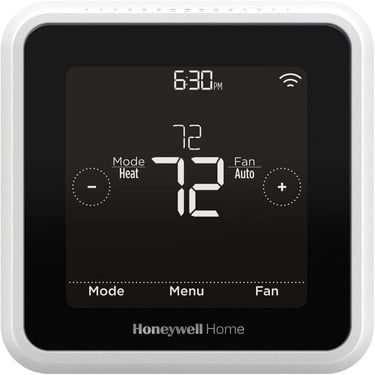
In my apartment, I didn’t have much choice when it came to smart thermostats. Because of the central heating system, I was limited to just one compatible option, it also happened to be the only one that fully supports Apple Home. At first, that felt a bit restrictive, but after using it for a while, I was pleasantly surprised. The Honeywell Home thermostat has a clean, minimal design with a black display and clear white text that’s easy to read at a glance. More importantly, it works reliably inside the Apple Home app, letting me control the temperature, create schedules, and include it in automations without any hassle. It also has its own app Resideo. This app is good and you might need this app at first to install this thermostat, but I prefer the Apple Home app for this device. Even though it wasn’t a choice out of many, it’s a thermostat I use every day. and it does exactly what it should, quietly and consistently. What I love about this thermostat is the automations, combined with the Eve Weather. Like I said earlier, when temperature drops below a certain level, this thermostat auto turn on and heat my appartment. I love this feature.
Pros
Apple Home support
Works reliably inside the Apple Home app with Siri support.Clean, readable display
Black screen with clear white text that’s easy to read at a glance.
Reliable temperature control Keeps the home at a stable, comfortable temperature.Automation friendly
Can be included in Apple Home automations and scenes (Home, Away, Sleep).Good fit for central heating systems
One of the few options that works well in apartments with shared or central heating.Set-and-forget experience Once configured, it works quietly in the background without constant adjustments.
Cons
Limited choice depending on heating system
In some apartments, this may be the only compatible option.Less advanced visuals
The interface is functional, but not as modern or animated as some newer smart thermostats.No native Thread support
Relies on Wi-Fi rather than Thread for connectivity.Basic insights
Lacks detailed energy usage analytics compared to some competitors.Design-focused on function
Clean and clear, but not customizable in appearance.
2
Meross Garage Door Opener
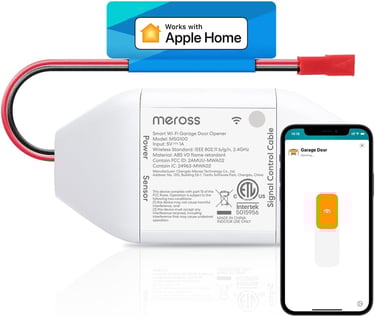
The Meross Smart Garage Door Opener is one of those Apple Home products that immediately changes how you use something every day. Instead of reaching for a remote or keypad, I can now have my garage door opened automatically when I arrive in the driveway using geofencing. I’ve also set it to close automatically at night and send safety notifications, which adds a lot of peace of mind. I get alerts when the garage door opens or closes, so I always know what’s happening even when I’m not home. And when my hands are full, I can simply use voice commands with Siri to control the garage door, which feels surprisingly natural once you get used to it. Just say "He Siri open the garage door". It also works very well with automations that you can setup in the Apple Home app. You can also control the garage door opener using the official Meross app.
Pros
Convenient automation
Opens or closes automatically when you arrive or leave using geofencing.Voice commands
Works with Siri, Alexa, Google Home etc, so you can open or close the garage door hands-free.Real-time alerts
Sends notifications when the garage door opens or closes, so you always know what’s happening.Apple Home integration
Controlled directly from the Home app alongside your other smart devices.Meross app available. You can also control and monitor it from the Meross app if you prefer
Cons
No built-in camera
The garage door opener doesn’t include a camera, so you can’t visually confirm whether the garage is open or closed.
Meross app can feel buggy at times
While the Apple Home integration works well most of the time, the Meross app itself can occasionally feel unreliable. In some cases, the app may fail to open or close the garage door on the first try, requiring a second attempt.
Opening and closing doesn’t always work flawlessly
In some situations, the garage door doesn’t open or close on the first attempt. When that happens, you may need to retry the action in the app.
1
Eve Outdoor Cam
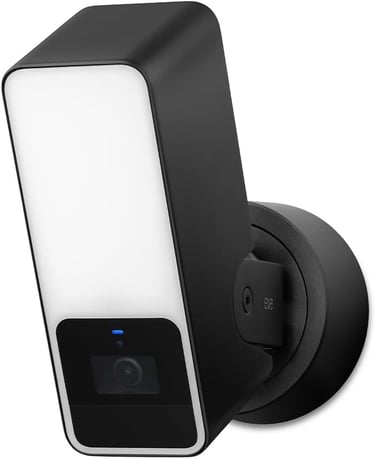
The Eve Outdoor Cam is without a doubt my number one Apple Home device. If there’s one smart home product I would recommend instantly, this is it. It uses a wired installation, so you’ll need a power connection outside to plug it in. That said, the installation is very straightforward, and it comes with screws and mounting accessories to securely attach it to the wall.
What I love most about it is the large, built-in light. It automatically turns on when someone walks by, and you can adjust the brightness to make it really bright if you want. You can also set exactly how long the light stays on after motion is detected, which makes it feel both practical and well thought out. The camera itself works great too. It delivers for me a clear, sharp image, so you can easily see who’s at your door or walking past your home. You can set up an automation so that when motion is detected for more than five seconds, the camera automatically starts recording.You can review recorded footage from the past 14 days directly in the Apple Home app or the Eve app. These footages are stored in your personal iCloud. Keep in mind that if you use multiple cameras in your home, it’s worth checking your iCloud plan to see how many cameras are supported by your iCloud plan.
Pros
Excellent built-in light
The large, bright light turns on instantly when motion is detected and can be adjusted to be very bright.Light works without stable Wi-Fi
Even if your Wi-Fi connection is unstable, the motion-activated light continues to work reliably.Clear camera image
The camera delivers a sharp, clear view, making it easy to see who’s near your home.Apple Home integration
Fully integrated into the Apple Home app with notifications and automations.Customizable motion settings
You can adjust sensitivity, light duration, and recording behavior to fit your needs.Solid outdoor security feeling
Combines lighting and camera in one device, which feels both practical and reassuring.
Cons
No Thread support
The camera relies on Wi-Fi instead of Thread, which can affect reliability in areas with weaker signals.Camera may not always respond instantly
In some cases, the camera feed or recording may not start right away.Wired installation required
You need a wired power connection outside, which may limit placement options.No built-in battery backup
During a power outage, both the camera and light will stop working.
Apple Home has become a big part of my daily routine, and every product in this list earned its place through real, everyday use. I believe that these gadgets are the the ones that genuinely make your life at home easier, safer, and more comfortable.
If you’re just getting started with Apple Home, or looking to expand your setup, I hope this list gave you some clarity and inspiration. And if you found this article helpful, feel free to bookmark it for later or share it with a friend who’s building their own smart home.
Shop for the best accessories for your Mac.
Expand your coverage with Apple Care+