Your weekly dose of Apple news, iOS guides & more → Subscribe FREE

iOS 27 Is Around the Corner With 7 New AI Features
iOS 27 is expected to focus heavily on AI, with 7 new AI features, Apple Intelligence upgrades, a smarter Siri, and new iPhone features likely to be unveiled during WWDC26.
IOS 27
5/7/20267 min read
It’s almost time for WWDC26, the moment where Apple traditionally gives us our first look at the next big iOS update. This year, all eyes are on iOS 27.
Over the past few weeks, we’ve already seen several rumors and expected details about what Apple could be working on. And if those rumors are true, iOS 27 could become one of the most interesting iPhone updates in years, especially with a bigger focus on AI, Apple Intelligence, and a smarter Siri experience.
In this article, I’ll take a closer look at everything we expect to see in iOS 27 and what these new features could mean for your iPhone.Let’s dive in.
iOS 27 will get a big focus on AI
Yes, AI is expected to be a big focus in iOS 27. Last year, Apple introduced Liquid Glass with iOS 26, giving the iPhone a fresh and more premium look.
This year feels different. With iOS 27, Apple seems to be focusing more on what happens under the hood: bug fixes, better performance, and a much bigger role for AI. Liquid Glass is expected to stay, but it will likely become smoother, more refined, and better optimized across the system. Here are 7 new AI-powered features expected in iOS 27:
Safari Tab Groups might finally become a little smarter in iOS 27.
Apple Intelligence is expected to automatically name your Tab Groups for you, based on the websites you have open. Personally, this would be such a welcome feature, because I always have so many tabs open in Safari.
With auto-naming, Safari could organize your tabs into clearer groups, making it much easier to find what you need without feeling lost between all those open pages.


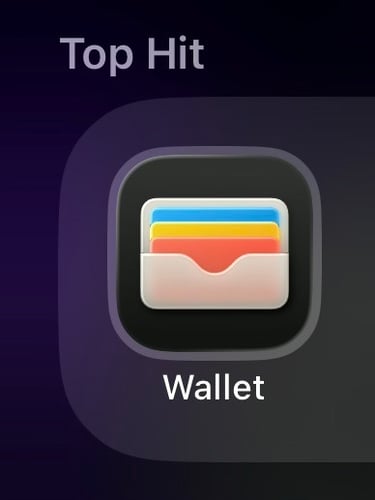
iOS 27 is expected to add a new ‘Create a Pass’ feature to Wallet📱With this feature, you can scan a QR code and turn it into a custom Wallet pass. For example, when you go to the gym and your gym uses a QR code for access, you can turn that QR code into a pass and add it to Apple Wallet.
That makes it easier to keep everything in one place, instead of searching through photos, emails, or apps every time you need your code. You’ll be able to create a new pass through the “+” button in Wallet, the same place where you normally add a new card.

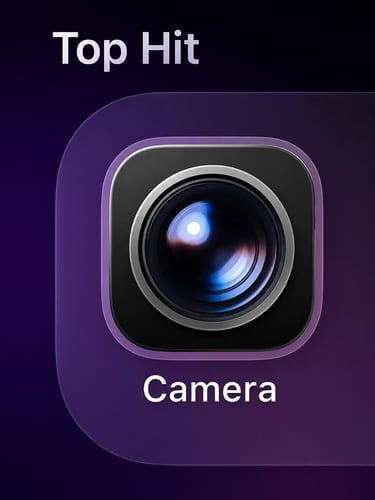
iOS 27 is expected to bring Siri with Visual Intelligence to the Camera app A new Siri mode may sit next to Photo and Video, making the Camera app way smarter. There will be 3 modes to customize it.
With Extend, you could make a photo wider by adding more scenery around the original image. For example, if you took a close-up photo of a beautiful landmark, your iPhone could help fill in the surrounding background. You would simply drag the edges of the photo to choose how much extra space you want to add.
Enhance would focus on making your photo look better automatically, with improvements to quality, lighting, colors, and overall detail.
And with Reframe, Apple could give you more control over the perspective of spatial photos, making it easier to adjust the way a photo feels after you have taken it.

Siri could finally get the upgrade many of us have been waiting for in iOS 27. Personally, this is one of the features I’m most excited about. Siri has been part of the iPhone experience for years, but it never really felt as smart or natural as the AI tools we use today, like ChatGPT or Gemini. With iOS 27, that could finally change. Apple is expected to give Siri a major AI overhaul with a dedicated app. There are rumors about a standalone Siri app, a more chatbot-style interface, and a new design that connects more closely with the Dynamic Island. Siri could also become much better at understanding context, what is on your screen, and what you want to do across different apps. The most exciting part is that Siri may be able to perform multiple actions from just one request. Instead of asking for one thing at a time, you could simply tell Siri what you need, and it could handle several steps for you. That would be amazing if true.
There are also rumors about deeper integrations with third-party AI tools and new systemwide “Ask Siri” buttons, making Siri available in more places across your iPhone. If Apple can deliver on all of this, iOS 27 could mark a completely new chapter for Siri. And maybe finally turn Apple’s assistant into something we actually want to use every day.
Apple Health could also get a meaningful upgrade in iOS 27. What makes this interesting is that some of these features were reportedly planned for a separate Apple Health+ subscription service. Instead, Apple is now expected to bring them directly into the Health app for free, which would be great news for iPhone users. The Health app could become more personal and helpful, with educational videos from doctors and health experts, AI-powered coaching, wellness suggestions, and better nutrition tracking.
Personally, I think this fits Apple really well. Health has always been one of the most important parts of the Apple ecosystem, especially with the Apple Watch. Tim Cook has often said that health could become Apple’s biggest contribution to the world, and with iOS 27, Apple might take another important step in that direction.


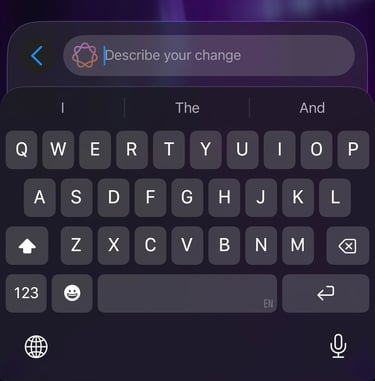
The iOS 27 keyboard could also become a lot smarter. Apple is reportedly working on an autocorrect upgrade that goes beyond fixing spelling mistakes. Instead of only correcting words, the keyboard could also suggest better alternative words while you type. And this feature is expected to be powered by AI.
Personally, I think this could be really useful. We all know those moments when you type something quickly and the sentence just does not feel right. For me, iOS 26.3 was honestly not great when it came to typing. The keyboard lag was really noticeable and sometimes made the iPhone feel less smooth than it should. With iOS 26.4, Apple improved it a lot, but there was still some lag from time to time. In iOS 26.5, at the moment of typing it is RC, typing feels better again. The keyboard seems more responsive, and it gives me hope that Apple will continue improving this even further with iOS 27.
With smarter word suggestions, your iPhone could help make messages, notes, and emails feel more natural and polished, a little bit like having a built-in writing assistant in the keyboard.
iOS 27 is expected to make the Camera app a lot smarter with Siri and Visual Intelligence.
Apple first introduced Visual Intelligence with iOS 18, connected to the Camera Control on the iPhone 16. But with iOS 27, this feature could become a much bigger part of the iPhone experience. According to rumors, Apple may add a new Siri mode directly inside the Camera app, sitting next to familiar options like Photo and Video. This would make it easier to use Visual Intelligence without needing a separate shortcut or button.
I think this could be one of those features that feels really natural once you start using it. You could simply open the Camera app, switch to Siri mode, and let your iPhone understand what it sees. From objects and places to useful information around you.
My thoughts
iOS 27 feels like it could become Apple’s modern Snow Leopard update for the iPhone. Back in the day, Snow Leopard was not about flashy new features. It was about making the Mac faster, smoother, and more reliable. And that is exactly what iOS 27 seems to be doing for the iPhone: more bug fixes, better performance, and a more polished experience across the system.
But there is one big difference in 2026: AI.
With Apple Intelligence, a smarter Siri, AI photo tools, Health upgrades, and better systemwide suggestions, iOS 27 could combine stability with a new layer of intelligence. And honestly, that might be exactly what the iPhone needs right now.
Not just more features, but a smarter, smoother, and more personal iPhone experience.
If you enjoy my content, you can also follow me on Threads. I post daily Apple insights, aesthetic photos, iOS tips, and the latest Apple news there.
I’d really appreciate your support and would love to see you there. Scan the below QR code to go to my profile